


Video Editing- DaVinci Resolve
By 2026, over 70% of UK businesses state that digital content creation skills are vital for workplace success. Left unaddressed, that gap limits professional credibility, career progression, and the ability to perform at the level the role actually demands. The Video Editing- DaVinci Resolve course from EduXpress is a fully CPD-accredited, online programme designed for UK learners ready to build structured expertise, meet sector standards, and advance with the kind of grounded, practical knowledge that employers value.
This course covers key features and editing techniques within DaVinci Resolve, enabling you to build your knowledge, skills, and confidence in video production. You will learn to apply practical editing methods to create professional-quality videos.
Flexible online CPD learning means you study at your own pace, with full tutor support available on weekdays. Assessments are designed to reinforce your learning, and certification options help you demonstrate your achievement in a professional context.
Learning Outcomes of Video Editing- DaVinci Resolve
Upon completion of this Video Editing- DaVinci Resolve from EduXpress, learners will be able to:
Why Choose Our Video Editing- DaVinci Resolve Course?
Who is This Video Editing- DaVinci Resolve For?
Certification: Video Editing- DaVinci Resolve
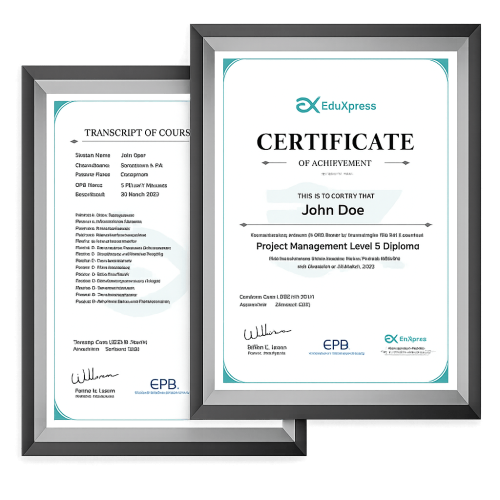
Upon successful completion of the final assessment, you will get a chance to order a CPD-accredited certificate confirming your achievement. This certificate is available in PDF as well as hard copy format, making it suitable for adding to your professional portfolio or CV.
Career Path
Frequently asked questions
Everything you need to know about the Video Editing- DaVinci Resolve
1. What skills will I learn in the Video Editing with DaVinci Resolve course?
This course teaches essential video editing skills using DaVinci Resolve, including timeline editing, color correction, audio mixing, and exporting projects. You will master the software’s interface and tools to create professional-quality videos. These skills are ideal for beginners and intermediate editors aiming to enhance their video production capabilities.
2. Is this DaVinci Resolve course suitable for beginners?
Yes, this DaVinci Resolve course is designed for beginners with no prior video editing experience. It starts with fundamental concepts and gradually covers advanced techniques, ensuring learners build confidence and competence. The step-by-step lessons make it easy to follow and apply in real-world video projects.
3. What version of DaVinci Resolve is used in the course?
The course uses the latest stable version of DaVinci Resolve, ensuring learners work with up-to-date features and tools. This approach guarantees compatibility with current software updates and maximizes learning outcomes for video editing, color grading, and post-production workflows.
4. Can I use this course to improve my video editing career prospects?
Absolutely, completing this DaVinci Resolve course can enhance your video editing portfolio and skill set, making you more competitive in the media and entertainment industry. Employers value proficiency in DaVinci Resolve for editing, color correction, and finishing, which can open doors to freelance and full-time video editing jobs.
5. Do I need a high-end computer to follow the DaVinci Resolve course?
While a mid-range computer is recommended for smooth video editing, DaVinci Resolve can run on most modern PCs and Macs with sufficient RAM and graphics capabilities. The course also provides tips on optimizing computer performance to ensure a seamless editing experience even on less powerful machines.
6. Will this course teach color grading techniques in DaVinci Resolve?
Yes, the course includes comprehensive color grading tutorials using DaVinci Resolve’s powerful color correction tools. You will learn how to enhance video aesthetics, adjust tones, apply LUTs, and create cinematic looks, which are essential skills for professional video editors and filmmakers.
7. How long will it take to complete the Video Editing with DaVinci Resolve course?
The course typically takes 10 to 15 hours to complete, depending on your pace and practice time. It is structured in modular lessons allowing learners to progress flexibly while mastering each video editing aspect thoroughly for effective skill development.
8. Are there any prerequisites for enrolling in the DaVinci Resolve video editing course?
There are no strict prerequisites for this course; a basic understanding of computers and video files is helpful but not mandatory. The course is tailored to accommodate beginners and those with some editing experience who want to learn DaVinci Resolve software efficiently.
9. Does the course provide downloadable resources or project files?
Yes, the course offers downloadable project files and resources to practice alongside video lessons. These materials help reinforce learning by allowing you to apply techniques hands-on, enhancing retention and building practical video editing skills with DaVinci Resolve.
10. Can this course help me create videos for social media platforms?
Definitely, the course covers video editing techniques optimized for social media content, including aspect ratios, quick cuts, and export settings for platforms like YouTube, Instagram, and TikTok. You will learn how to produce engaging, high-quality videos tailored to digital audiences.