Explore industrial automation with PLC Programming Using LogixPro Simulator, a flexible online course introducing programmable logic controllers, ladder logic and simulated control systems. Understand PLC inputs and outputs, timers, counters, interlocking, sequencing and motor control applications. Develop your understanding of troubleshooting, testing and industrial automation projects through LogixPro-based programming concepts. Ideal for aspiring automation technicians, electrical engineering students and maintenance professionals.
Last updated: Oct 26, 2026
(0 Reviews)
10 CPD Points
Highly Rated
Best Selling
Discover how automated machines follow programmed instructions to control industrial processes. Explore PLC programming, ladder logic, motor control and troubleshooting using LogixPro Simulator to develop your understanding of industrial automation systems.
Course Overview
Programmable Logic Controllers (PLCs) are essential components of modern industrial automation, helping control machinery, manufacturing processes and automated production systems. Our PLC Programming Using Logixpro Simulator course introduces the principles of PLC operation, ladder logic programming and simulated industrial control applications. Designed for aspiring automation technicians, engineering students, maintenance professionals and individuals interested in industrial technology, this online course supports continuing professional development in programmable control systems and basic automation programming.
Explore PLC hardware architecture, digital inputs and outputs, ladder logic instructions and the process of developing control programs. Understand how timers, counters and comparison instructions support automated decisions, while sequencing and interlocking techniques coordinate different machine operations. Examine motor control principles, industrial process simulations and approaches to diagnosing programming faults. Using LogixPro-based learning concepts, the course introduces how simulated PLC projects can be designed, tested, reviewed and improved before learners progress towards working with physical industrial equipment.
How does a conveyor start when a sensor detects a product, or how can a control system coordinate several operations in the correct order? Develop your understanding of the logic behind automated machinery and the importance of reliable programming. Enrol online to explore PLC fundamentals, strengthen your knowledge of ladder logic and develop a foundation for further technical learning in industrial automation and control engineering.
What You’ll Learn to Put Into Action
Explain how programmable logic controllers operate and the purpose of PLC simulation software.
Recognise PLC hardware components, digital inputs, outputs and basic controller architecture.
Understand ladder logic diagrams, relay-style instructions and fundamental programming principles.
Explore timers, counters and comparison instructions used in industrial control applications.
Develop awareness of process sequencing, interlocking and logical control conditions.
Understand motor control concepts and common automated manufacturing processes.
Identify programming errors and apply systematic troubleshooting techniques in simulated PLC systems.
Explore the planning, testing and evaluation of complete PLC automation projects.
Who Is This Course For?
Beginners interested in understanding PLC programming and industrial automation.
Electrical and electronic engineering students developing practical programming awareness.
Maintenance technicians interested in automated machinery and control logic.
Manufacturing and production professionals seeking introductory PLC knowledge.
Aspiring automation engineers exploring ladder logic and simulated control systems.
Career Path
PLC programming knowledge is relevant to manufacturing, industrial maintenance, production engineering, robotics, process control and automated machinery. Electrical engineering technicians and maintenance professionals may work with programmable controllers as part of equipment servicing, fault investigation and production support. Understanding ladder logic, input and output signals, timers and interlocking concepts can complement wider engineering knowledge and help learners become more familiar with automated industrial environments.
Developing PLC programming fundamentals may provide a starting point for further learning in control engineering, automation and industrial technology. With appropriate technical qualifications, supervised workplace experience, electrical safety training and practical competence, individuals may progress towards engineering maintenance, automation design and manufacturing systems roles. This online course does not independently establish competence to programme or commission safety-critical machinery. Related UK career opportunities include the following indicative annual salary ranges.
Electrical Engineering Technician: Approximately £24,000–£48,000 per year.
Engineering Maintenance Technician: Approximately £27,000–£48,000 per year.
Manufacturing Systems Engineer: Approximately £26,000–£50,000 per year, with relevant engineering qualifications.
Electrical Engineer: Approximately £27,000–£58,000 per year, with appropriate engineering education and experience.
Electronics Engineer: Approximately £28,000–£60,000 per year, with specialist qualifications and technical experience.
Automation / Robotics Engineer: Approximately £31,000–£60,000 per year, with advanced technical training and suitable experience.
Why Choose Our PLC Programming Using Logixpro Simulator Course?
Structured online PLC programming training supporting continuing professional development.
100% online, flexible and self-paced learning.
Explore ladder logic, PLC architecture, timers, counters and industrial control principles.
Develop understanding of LogixPro simulation, programming troubleshooting and automation projects.
Online multiple-choice assessment or written assignment to evaluate learning.
Certificate options available following successful course completion.
What the Course Covers
Module 01: Introduction to PLCs and LogixPro Simulator
Discover programmable logic controllers and their role in controlling machines and industrial processes. Explore the differences between traditional relay-based control and programmable automation systems. Understand the purpose of LogixPro Simulator and how its ladder logic environment represents PLC programming concepts without requiring physical controller hardware. Become familiar with basic simulated operations, including inputs, outputs and program execution. This introductory module establishes essential industrial automation terminology and highlights how simulation supports learning, testing and understanding the behaviour of simple control systems.
Module 02: PLC Hardware, Inputs, Outputs and Basic Architecture
Explore the main components of PLC hardware, including the processor, memory, power supply and input/output interfaces. Understand how industrial sensors, pushbuttons and switches provide input signals, while output circuits may control indicators, relays and other connected equipment. Examine the basic PLC scan cycle and how controllers read inputs, execute logic and update outputs. Develop awareness of addressing conventions and the distinction between physical connections and internal program instructions. This module establishes the foundation for understanding the relationship between PLC hardware and automated control logic.
Module 03: Ladder Logic Fundamentals and Programming Concepts
Understand ladder logic as a graphical programming language widely associated with industrial PLC systems. Explore rungs, contacts, coils and the relationship between logical conditions and output behaviour. Examine normally open and normally closed instruction concepts, including how they differ from the physical construction of electrical devices. Develop awareness of basic Boolean logic, latch arrangements and the importance of clear program structure. This module introduces methods for interpreting and organising simple ladder diagrams within a simulated PLC environment.
Module 04: Timers, Counters and Comparison Instructions
Explore how PLC timers, counters and comparison instructions support more advanced control decisions. Understand introductory timer concepts, including on-delay and off-delay behaviour, and how preset and accumulated values influence program operation. Examine counters used to track events and comparisons used to evaluate numerical conditions. Consider simulated applications involving timed sequences, product counting and automated process decisions. This module highlights the importance of selecting suitable instructions and testing their behaviour carefully under different operating conditions.
Module 05: Sequencing, Interlocking and Control Logic
Develop an understanding of how PLC programs coordinate multiple operations in a defined sequence. Explore control conditions that determine when individual stages may begin, continue or finish. Examine interlocking concepts designed to prevent incompatible operations, alongside start and stop conditions, status signals and sequence progression. Consider examples involving automated doors, conveyors and simulated production processes. This module encourages logical planning and systematic testing while distinguishing ordinary program interlocks from independently engineered safety functions required for real industrial machinery.
Module 06: Motor Control and Industrial Automation Applications
Explore how programmable controllers coordinate motor-related functions in industrial automation systems. Understand introductory start and stop logic, control signals, contactors and the role of feedback in monitoring equipment states. Examine simulated applications involving conveyors, material movement and automated production tasks. Develop awareness of motor protection, safe operating conditions and the relationship between control software and electrical equipment. This module emphasises that programming simulation does not replace suitable electrical design, protective devices, safe isolation procedures or qualified supervision when working with real machinery.
Module 07: Troubleshooting PLC Programs Using LogixPro
Discover systematic approaches to diagnosing unexpected behaviour in simulated PLC programs. Explore the importance of reviewing input states, output conditions, instruction logic and timer or counter values. Understand how monitoring ladder rungs and comparing program responses against expected results can help identify programming errors. Examine common issues involving incorrect addressing, unsuitable logical conditions and unintended sequence behaviour. This module develops awareness of methodical troubleshooting, recording test findings and verifying changes through repeated simulation before considering any application to real equipment.
Module 08: Building and Testing Complete PLC Automation Projects
Bring together PLC programming principles when examining complete simulated automation projects. Explore how project requirements can be translated into input/output lists, ladder logic conditions, timed operations and defined control sequences. Understand the importance of testing normal operation, unexpected inputs and fault conditions. Examine how documentation, simulation results and troubleshooting records support further development. This final module encourages structured engineering thinking and reinforces the distinction between successful simulated behaviour and the additional safety assessments, hardware validation and commissioning required for real industrial systems.
Accreditation & Recognition
The PLC Programming Using Logixpro Simulator course supports structured continuing professional development in programmable controllers, ladder logic, industrial control principles and simulated automation projects. It provides an opportunity to strengthen theoretical understanding of PLC programming, motor control concepts, sequence logic and troubleshooting. Course-specific CPD accreditation should be confirmed against EduXpress’s approved arrangements. This training does not independently provide an Ofqual-regulated engineering qualification, official Rockwell Automation certification or evidence of competence to commission or maintain safety-critical industrial equipment.
Structured online learning supporting continuing professional development in PLC programming.
Supports technical knowledge development and professional learning records.
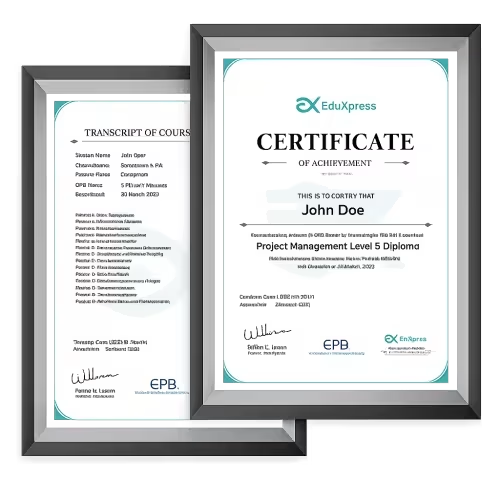
Digital EduXpress course certificate available after successful completion.
Optional printed certificate available for £24.99.
Assessment & Certification: PLC Programming Using Logixpro Simulator
Your understanding is assessed through an online multiple-choice assessment or written assignment covering PLC fundamentals, hardware architecture, inputs and outputs, ladder logic, timers, counters, comparison instructions, sequencing, interlocking, motor control, fault investigation and simulated automation projects. The assessment provides an opportunity to demonstrate theoretical understanding of industrial control programming and systematic troubleshooting. It does not replace supervised practical evaluation using actual industrial machinery or electrical control equipment.
Following successful completion, you can order an EduXpress digital course certificate documenting your achievement in PLC Programming Using Logixpro Simulator. An optional printed certificate is available for £24.99. Your certificate recognises structured online learning and may support your continuing professional development record. It does not certify practical PLC commissioning ability, confer manufacturer accreditation or authorise independent work on electrical machinery and industrial safety systems.
Frequently Asked Questions
What is a PLC, and how does it work in industrial automation?
A Programmable Logic Controller is an industrial computer designed to control machinery and automated processes. It receives information from inputs such as sensors and switches, evaluates programmed instructions and updates outputs that operate connected equipment. PLCs commonly repeat this process in a scan cycle. They are used in applications such as conveyors, packaging machinery and automated production lines. Their design supports reliable operation in industrial environments, although correct programming and suitable protective engineering remain essential.
What is LogixPro Simulator used for in PLC programming?
LogixPro is a PLC training simulator that provides a ladder logic programming environment modelled on Allen-Bradley RSLogix 500 conventions. It allows users to explore control instructions and observe how simulated inputs and outputs respond to programmed conditions. Educational exercises can involve timers, counters, industrial doors, traffic controls and other processes. The software is intended for learning and testing concepts rather than operating real equipment, and its available features depend on the installed version.
What is the difference between LogixPro and RSLogix 500?
LogixPro is an independent educational simulator designed to resemble aspects of the RSLogix 500 ladder logic environment. RSLogix 500 is Rockwell Automation software associated with programming supported Allen-Bradley PLC hardware. LogixPro allows learners to practise concepts without connecting to physical controllers, but its simulations do not reproduce every hardware or software capability. Program compatibility and transfer should not be assumed, and real-world deployments require the appropriate manufacturer tools and commissioning procedures.
What is ladder logic, and why is it used for PLCs?
Ladder logic is a graphical PLC programming language based on a visual format resembling electrical relay diagrams. Instructions are arranged in rungs containing logical conditions and output operations. This structure can make control relationships easier to understand for people familiar with electrical systems. Ladder logic is widely used for machine control and industrial automation, particularly for discrete processes. Other PLC programming languages also exist and may be more appropriate for certain applications.
What is the difference between PLC inputs and outputs?
PLC inputs receive information from external devices such as pushbuttons, limit switches and sensors. PLC outputs send control signals to connected equipment, which may include indicator lights, contactors or other control interfaces. For example, a conveyor sensor might provide an input indicating that a product has arrived, while an output commands a motor contactor through suitable circuitry. PLCs may use both digital and analogue signals depending on their hardware configuration.
How do PLC timers and counters work?
PLC timers are instructions that track elapsed time according to defined logic conditions, allowing operations such as delayed starting or timed sequencing. Counters track qualifying events, including items passing a sensor or completed machine cycles. Different timer and counter instructions have distinct behaviours, including how accumulated values are retained or reset. The exact instructions depend on the PLC platform. Both are useful for coordinating automated processes without requiring separate external timing or counting devices for every function.
What is the difference between sequencing and interlocking in PLC programming?
Sequencing determines the order in which operations take place, such as filling a container before activating a conveyor. Interlocking introduces conditions that prevent incompatible actions from occurring at the same time or when required prerequisites are missing. Both contribute to organised control logic. However, an ordinary software interlock does not automatically constitute a certified safety function. Safety-critical applications may require independently engineered protective systems and additional assessment.
How does a PLC control an electric motor or conveyor system?
A PLC can control motor-related operations by processing inputs and sending commands through suitable output circuits and motor control equipment. It may respond to start and stop buttons, sensors and feedback signals according to programmed conditions. Industrial installations typically use contactors, motor drives, protective devices and appropriate electrical circuits rather than connecting large motors directly to standard PLC outputs. Real equipment must be designed, installed and maintained by competent personnel.
How do you troubleshoot a PLC ladder logic program?
PLC troubleshooting involves comparing expected operation with actual program behaviour. Engineers may examine input conditions, output states, instruction values, addressing and the sequence in which logic is evaluated. In a simulator, these checks can help identify incorrect assumptions or programming errors without affecting physical machinery. Troubleshooting actual equipment requires additional safety procedures, including appropriate isolation and assessment of electrical or mechanical hazards. Changes should be documented and tested before the equipment returns to service.
Can PLC simulation replace testing on real industrial machinery?
PLC simulation is useful for developing programming knowledge and identifying certain logic problems, but it cannot fully reproduce the behaviour of physical equipment. Real installations involve electrical wiring, mechanical loads, sensor limitations, communications, timing differences and potential safety hazards. Control programs intended for industrial use require appropriate hardware validation, risk assessment, protective systems and commissioning by competent personnel. A successful simulation is therefore one stage of development rather than proof that a machine is safe to operate.