

Microsoft Excel Training: Depriciation Accounting
By 2026, over 60% of UK finance professionals report needing stronger skills in asset depreciation and reporting to meet evolving business standards. In a market where digital skills are the baseline expectation, that gap limits earning potential, career options, and the ability to add real value. The Microsoft Excel Training: Depriciation Accounting course from EduXpress is a fully CPD-accredited, online programme that builds practical, immediately applicable digital skills – designed for UK learners ready to close the gap and perform at the level the market demands.
This course covers essential depreciation accounting principles and practical Excel skills. You will learn different methods of calculating depreciation, how to set up asset registers, and create financial reports, building your confidence and applied understanding of depreciation in the workplace.
With flexible online CPD learning, you can study at your own pace from anywhere in the UK. Dedicated tutor support and a clear assessment pathway ensure you gain recognised certification to support your professional development.
Learning Outcomes of Microsoft Excel Training: Depriciation Accounting
Upon completion of this Microsoft Excel Training: Depriciation Accounting from EduXpress, learners will be able to:
Why Choose Our Microsoft Excel Training: Depriciation Accounting Course?
Who is This Microsoft Excel Training: Depriciation Accounting For?
Certification: Microsoft Excel Training: Depriciation Accounting
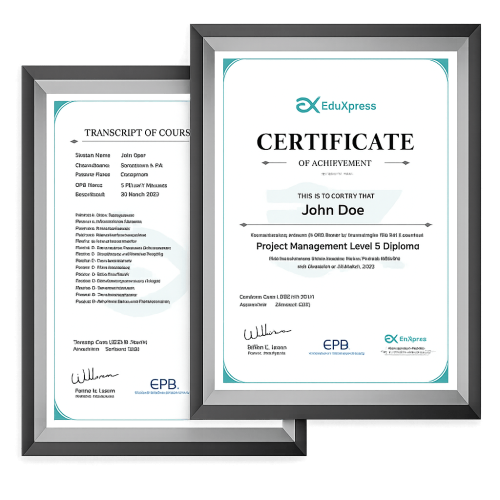
Upon successful completion of the final assessment, you will get a chance to order a CPD-accredited certificate confirming your achievement. This certificate is available in PDF as well as hard copy format, making it suitable for adding to your professional portfolio or CV. Please note this does not guarantee employment or entitlement to carry out regulated roles.
Career Path
Frequently asked questions
Everything you need to know about the Microsoft Excel Training: Depriciation Accounting
1. What is depreciation accounting in Microsoft Excel training?
Depreciation accounting in Microsoft Excel training refers to learning how to calculate and record asset depreciation using Excel tools. This course teaches learners practical Excel formulas and functions to manage depreciation schedules, improving accuracy and efficiency in financial reporting and fixed asset management.
2. Who should take the Microsoft Excel depreciation accounting course?
This course is ideal for accountants, finance professionals, asset managers, and business owners who want to enhance their skills in depreciation calculations using Excel. It is also beneficial for students and professionals seeking to improve their financial modeling and fixed asset accounting proficiency.
3. What depreciation methods are covered in this Excel training?
The course covers key depreciation methods including straight-line, declining balance, sum-of-the-years’-digits, and units of production. Learners will understand how to apply these methods using Excel formulas to generate accurate depreciation schedules tailored to various business needs.
4. Do I need prior Excel experience to join this depreciation accounting course?
Basic knowledge of Microsoft Excel is recommended but not mandatory. The course starts with fundamental Excel functions and progressively covers advanced depreciation accounting techniques, making it suitable for beginners and intermediate users aiming to specialize in asset depreciation.
5. How will this course improve my financial reporting skills?
By mastering depreciation accounting in Excel, learners can automate depreciation calculations, ensuring timely and precise financial reports. This improves compliance with accounting standards, enhances asset management, and supports better decision-making through detailed depreciation analysis.
6. Can I access the Microsoft Excel depreciation accounting course online?
Yes, the course is available online for flexible learning. Students can access video tutorials, practice exercises, and downloadable Excel templates anytime, allowing for convenient self-paced study and application of depreciation accounting principles in Excel.
7. Will I receive a certificate after completing the course?
Upon successful completion, learners receive a certificate of achievement that validates their skills in Microsoft Excel depreciation accounting. This credential can enhance professional credentials and demonstrate proficiency in fixed asset accounting using Excel to employers and clients.
Curriculum
- 3 Sections
- 0 Lessons
- Lifetime
- Microsoft Excel Training: Depriciation Accounting0 Items
- Order Your Certificate!0 Items
- Leave a Review!0 Items