

A spreadsheet becomes more valuable when you can do more than enter numbers. Knowing how to organise, calculate, analyse and present information is what makes Excel useful at work.
Microsoft Excel Complete Course – Beginner, Intermediate & Advanced develops practical spreadsheet skills from the fundamentals through to more advanced functions and data analysis tools. You’ll learn how to create and manage worksheets, perform calculations, organise records and turn information into clear reports and charts.
Microsoft Excel is widely used for administrative records, budgets, financial calculations, sales reporting, stock management and business analysis. Its combination of worksheets, formulas and visual reporting tools allows users to manage information without requiring specialist programming knowledge.
The course begins with essential spreadsheet operations, including entering text and numbers, managing rows and columns, understanding relative references and working with files. You’ll then progress to sorting, filtering, date calculations, mathematical formulas and lookup functions such as VLOOKUP, HLOOKUP and XLOOKUP.
You’ll also explore features that make managing larger datasets easier, including Text to Columns, Flash Fill, Data Validation, Remove Duplicates and CSV imports. PivotTables and PivotCharts introduce ways to summarise information, while Excel’s charting tools help you communicate comparisons and trends visually.
By the end of the course, you’ll have a stronger understanding of how Excel’s features work together. Rather than relying on manual calculations or repetitive formatting, you’ll be able to choose suitable spreadsheet tools for everyday administrative, financial and reporting tasks.
What You’ll Learn to Put Into Action
- Create, save, share and manage Microsoft Excel workbooks confidently.
- Enter, edit and organise text, numbers and spreadsheet information.
- Manage cell ranges, relative references, rows and columns.
- Prepare worksheets for printing and adjust page setup options.
- Sort and filter records to locate and organise relevant information.
- Use basic, mathematical and date formulas for spreadsheet calculations.
- Apply VLOOKUP and HLOOKUP to find information within tables.
- Use XLOOKUP for matching records and handling approximate results.
- Clean and organise data using Flash Fill, Data Validation and Remove Duplicates.
- Import spreadsheet information from text files and CSV documents.
- Format dates, numbers, fonts, alignment and Excel tables.
- Summarise information using PivotTables and PivotCharts.
- Create column, bar, line, pie and doughnut charts for reports.
Who Is This Course For?
- Beginners who want to learn Microsoft Excel from the fundamentals.
- Office administrators managing records, reports and spreadsheets.
- Finance and accounting assistants working with numerical information.
- Students and graduates developing essential workplace computer skills.
- Business professionals responsible for tracking and reporting data.
- Existing Excel users seeking stronger formula and data management skills.
- Aspiring data analysts learning spreadsheet-based analysis techniques.
Career Path
Microsoft Excel is relevant across administration, finance, sales, operations and business reporting. Employers use spreadsheets to organise information, calculate figures, monitor activities and communicate results. The National Careers Service identifies spreadsheet and IT skills as useful in a range of administrative and finance-related occupations. Excel proficiency can support progression, although individual roles may require additional qualifications and experience.
- Administrative Assistant: Office records, document management and spreadsheets.
- Data Entry Administrator: Data accuracy, records and spreadsheet maintenance.
- Accounts Assistant: Financial records, calculations and reporting support.
- Payroll Administrator: Payroll information, employee records and calculations.
- Sales Administrator: Sales tracking, customer information and performance reports.
- Office Manager: Budgets, schedules, reporting and operational records.
- Junior Data Analyst: Spreadsheet data preparation, summaries and introductory reporting.
Why Choose Our Microsoft Excel Complete Course – Beginner, Intermediate & Advanced?
- Develops Excel skills from basic workbook operations to advanced functions.
- Covers cells, ranges, references, worksheet management and printing.
- Explains formulas for mathematical and date calculations.
- Introduces VLOOKUP, HLOOKUP and XLOOKUP functions.
- Builds confidence with spreadsheet sorting, filtering and data handling.
- Includes Flash Fill, Data Validation and duplicate removal techniques.
- Explores importing information from text and CSV files.
- Develops PivotTable and PivotChart knowledge for data summaries.
- Covers professional formatting and multiple Excel chart types.
- Provides 100% online, self-paced learning with lifetime access.
- Includes CPD certification and weekday tutor support.
What the Course Covers
Section 01: Excel : Basics
This module introduces the Microsoft Excel environment and the essential skills needed to create spreadsheets. You’ll explore workbook navigation, entering text and numbers, using relative references and selecting cell ranges. It also explains how to save workbooks, manage file extensions, share documents and export files for different purposes, providing a foundation for later lessons.
Section 02: Excel : Rows, Columns, and Cells
Understanding worksheet structure makes everyday spreadsheet tasks much easier. This module explains how to add rows and columns, adjust their dimensions and organise information within cells. You’ll learn to modify row heights and column widths to accommodate different types of content, helping you create spreadsheets that remain readable, properly structured and easier to manage during routine work.
Section 03: Excel : Data Handling
Working efficiently in Excel requires more than typing information into individual cells. This module covers copying, cutting and pasting data between worksheet locations. You’ll also learn how to copy formulas and understand how their references behave when moved to different cells. These techniques help reduce repetitive work and maintain consistency across spreadsheet calculations and everyday data management tasks.
Section 04: Excel : Page Setting Up and Print
A spreadsheet that looks clear on screen may need adjustments before printing. This module introduces Excel’s page setup options, including preparing worksheets for printed output. You’ll learn how to fit information onto a single page where appropriate and print workbooks effectively. The lessons help you avoid unnecessary page breaks and produce better organised printed documents for workplace use.
Section 05: Excel : Sorting and Filtering
Large spreadsheets become easier to understand when information is arranged logically. This module teaches you how to sort data in ascending and descending order and apply filters to display selected records. You’ll explore how these features support everyday tasks, such as organising customer lists, reviewing figures and locating specific information without changing the underlying dataset or deleting records.
Section 06: Excel : Writing Formulas
Formulas are central to using Excel for calculations and routine data processing. This module introduces basic formulas, date and time calculations, and mathematical functions. You’ll explore how spreadsheet formulas process values and how different calculations can be combined to produce results. The lessons provide a foundation for working with numerical information more accurately and efficiently in everyday spreadsheets.
Section 07: Excel : Advanced Formulas
Finding matching information across worksheets is a common Excel task. This module introduces VLOOKUP and HLOOKUP, explaining how these lookup functions retrieve values from structured tables. You’ll learn the differences between vertical and horizontal searches and explore their practical applications in records, reports and datasets. The module strengthens your ability to locate related information efficiently and reduce manual searching.
Section 08: Excel : XLOOKUP only for 2021 and Office 365
This module introduces XLOOKUP for supported Excel versions, including Excel 2021 and Microsoft 365. You’ll explore how the function searches for matching values and returns corresponding information from another range. The lessons also cover handling unmatched results and approximate matches, helping you understand how XLOOKUP can simplify common lookup tasks compared with traditional lookup functions in spreadsheet work.
Section 09: Excel : Data and Tools
Excel includes several tools that simplify cleaning, organising and importing information. This module covers Text to Columns, Flash Fill, Data Validation and Remove Duplicates. You’ll also learn how to import data from text and CSV files. These features can reduce manual editing, improve consistency and help prepare spreadsheets for reporting, calculations and further analysis in everyday work.
Section 10: Excel : Formatting data and tables
Clear formatting makes spreadsheets easier to read, interpret and share. This module explains how to format fonts, align content and display numbers and dates appropriately. You’ll also explore table formatting techniques that help distinguish headings, records and important values. The focus is on creating organised worksheets that communicate information effectively without unnecessary visual complexity or inconsistent presentation.
Section 11: Excel : Pivot Tables
PivotTables provide a practical way to summarise spreadsheet information without manually calculating every result. This module introduces PivotTables and PivotCharts, showing how they can organise data into meaningful summaries and visual comparisons. You’ll explore how these tools support reporting and help users examine information from different perspectives, making larger datasets easier to interpret, understand and present clearly.
Section 12: Excel : Charts
Charts help turn numerical information into visual comparisons and trends. This module introduces Excel chart categories, chart elements and the process of creating charts. You’ll explore column, bar, line, pie and doughnut charts, alongside formatting techniques. The lessons explain how different chart types can communicate information clearly and support more understandable spreadsheet reports for different audiences and purposes.
Accreditation & Recognition
Microsoft Excel Complete Course – Beginner, Intermediate & Advanced is a CPD-accredited online course designed to strengthen practical knowledge of spreadsheet management, mathematical formulas, data handling, lookup functions and reporting tools.
The curriculum covers skills relevant to office administration, finance support, business operations and spreadsheet-based analysis. Learning activities move from basic workbook management to formulas, PivotTables and charts, helping learners develop a broader understanding of Microsoft Excel’s practical applications.
- CPD certification recognising continuing professional development in Excel.
- Covers spreadsheet fundamentals, workbook management and formatting.
- Develops skills in mathematical and date formulas.
- Includes VLOOKUP, HLOOKUP and XLOOKUP functions.
- Introduces sorting, filtering and data validation techniques.
- Covers importing, organising and cleaning spreadsheet data.
- Develops PivotTable and PivotChart reporting knowledge.
- Explores several Excel chart types and formatting options.
- Provides 100% online, self-paced learning with lifetime access.
- Includes online assessment and an optional reflective development portfolio.
Assessment & Certification: Microsoft Excel Complete Course – Beginner, Intermediate & Advanced
Your understanding is assessed through an online multiple-choice assessment covering workbook management, data handling, formulas, lookup functions, sorting, filtering, formatting, PivotTables and Excel charts.
The assessment focuses on understanding how Excel features work and choosing suitable tools for practical situations. Questions may ask you to identify an appropriate formula, select a lookup function, recognise a sorting or filtering operation, or decide which chart type best communicates particular information.
An optional reflective portfolio can extend your learning through spreadsheet exercises, workbook examples, formula calculations, data organisation activities, PivotTable summaries or basic chart-based reporting tasks.
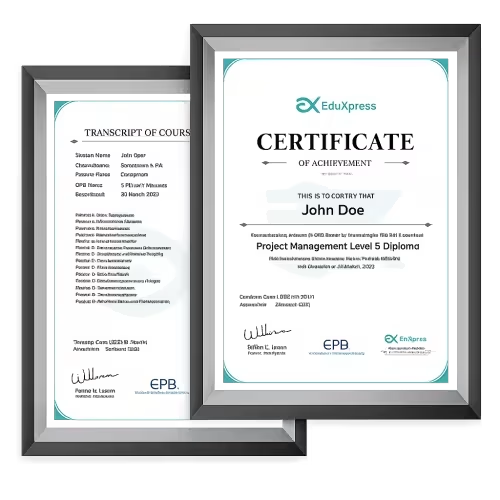
After successful completion, you can order a CPD-accredited digital certificate to record your achievement and continuing professional development in Microsoft Excel. An optional printed certificate is also available for £24.99.
Frequently Asked Questions
What is Microsoft Excel?
Is this Microsoft Excel course suitable for beginners?
What will I learn in this Excel course?
Is Microsoft Excel difficult to learn?
What is the difference between a workbook and a worksheet?
What is a cell reference in Excel?
What are formulas used for in Microsoft Excel?
What is VLOOKUP in Excel?
What is HLOOKUP used for?
What is the difference between VLOOKUP and XLOOKUP?
Does XLOOKUP work in every Excel version?
What is the difference between sorting and filtering in Excel?
What is Flash Fill in Excel?
What is Data Validation in Excel?
Can Excel import CSV files?
What is a PivotTable in Microsoft Excel?
What is the difference between a PivotTable and a PivotChart?
Which chart types are covered in this Excel course?
Is Microsoft Excel useful for data analysis?
Can learning Excel help with office jobs?
Is Excel enough to become a data analyst?
Do I need previous spreadsheet experience?
Will I receive a certificate after completing the course?
Why Study Microsoft Excel Complete Course – Beginner, Intermediate & Advanced?
Spreadsheets are a routine part of working life, but they’re not always used effectively. A poorly organised workbook can make even simple tasks time-consuming, while an incorrect formula may produce figures that appear reasonable but are misleading. Understanding how Excel works helps you manage information with greater care and confidence.
Microsoft Excel Complete Course – Beginner, Intermediate & Advanced builds that understanding progressively. Early lessons focus on workbook organisation, data entry, cell references and file management. These are the foundations for everyday tasks such as maintaining attendance records, tracking expenditure, reviewing sales information or preparing administrative documents.
As your skills develop, formulas and lookup functions allow you to perform calculations and retrieve related information without manually checking every record. VLOOKUP, HLOOKUP and XLOOKUP can be particularly useful when working with structured tables containing product codes, employee details or financial information.
Good spreadsheet work also depends on the quality and presentation of the underlying information. Sorting, filtering, Data Validation, Flash Fill and duplicate removal can make records easier to maintain. PivotTables and charts then help summarise data into results that colleagues, managers and other stakeholders can understand.
With online learning, lifetime access, CPD certification and weekday tutor support, the course offers a structured way to strengthen Excel knowledge. The objective isn’t simply to memorise features, but to understand when to use them and how they can make everyday spreadsheet work more reliable, efficient and useful.
Curriculum
- 15 Sections
- 0 Lessons
- Lifetime
- Microsoft Excel Complete Course - Beginner, Intermediate & Advanced0 Items
- Excel : Basics0 Items
- Excel : Rows, Columns, and Cells0 Items
- Excel : Data Handling0 Items
- Excel : Page Setting Up and Print0 Items
- Excel : Sorting and Filtering0 Items
- Excel : Writing Formulas0 Items
- Excel : Advanced Formulas0 Items
- Excel : XLOOKUP only for 2021 and Office 3650 Items
- Excel : Data and Tools0 Items
- Excel : Formatting data and tables0 Items
- Excel : Pivot Tables0 Items
- Excel : Charts0 Items
- Line Charts0 Items
- Assessment0 Items