

Microsoft Access 2016 Beginner to Advanced
By 2026, over 75% of UK businesses expect staff to manage and analyse data effectively to improve decision-making. In a market where digital skills are the baseline expectation, that gap limits earning potential, career options, and the ability to add real value. The Microsoft Access 2016 Beginner to Advanced course from EduXpress is a fully CPD-accredited, online programme that builds practical, immediately applicable digital skills – designed for UK learners ready to close the gap and perform at the level the market demands.
This course covers everything from basic database creation to advanced queries, automation, and security. It helps learners build practical knowledge and confidence using Microsoft Access 2016, focusing on hands-on skills relevant to workplace data management.
Flexible online CPD learning allows you to study when it suits you, with full tutor support available Monday to Friday. After completing the course and assessment, you can order a CPD-accredited certificate to demonstrate your progress.
Learning Outcomes of Microsoft Access 2016 Beginner to Advanced
Upon completion of this Microsoft Access 2016 Beginner to Advanced from EduXpress, learners will be able to:
Why Choose Our Microsoft Access 2016 Beginner to Advanced Course?
Who is This Microsoft Access 2016 Beginner to Advanced For?
Certification: Microsoft Access 2016 Beginner to Advanced
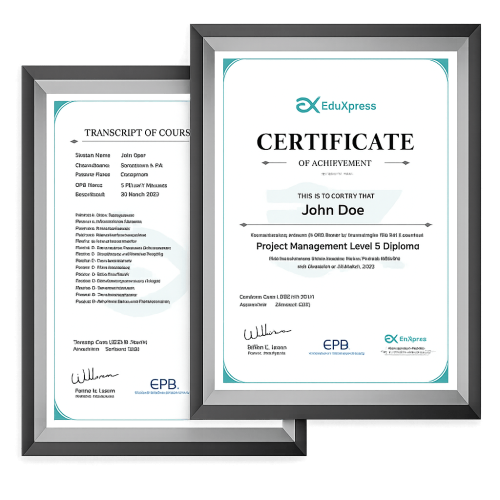
Upon successful completion of the final assessment, you will get a chance to order a CPD-accredited certificate confirming your achievement. This certificate is available in PDF as well as hard copy format, making it suitable for adding to your professional portfolio or CV. Please note this certificate does not guarantee employment or regulated role entitlement.
Career Path
Frequently asked questions
Everything you need to know about the Microsoft Access 2016 Beginner to Advanced
1. What will I learn in the Microsoft Access 2016 Beginner to Advanced course?
In this Microsoft Access 2016 course, you will learn database fundamentals, table creation, relationships, queries, forms, and reports. The course covers beginner to advanced topics, enabling you to design and manage efficient databases tailored to business needs. This comprehensive training boosts your Microsoft Access skills for professional use.
2. Do I need prior experience with databases to take this Microsoft Access course?
No prior database experience is required to enroll in this Microsoft Access 2016 Beginner to Advanced course. It starts with foundational concepts and gradually progresses to advanced techniques, making it suitable for beginners and intermediate users looking to enhance their database management skills.
3. Is this course suitable for professionals working with data in the USA?
Yes, this Microsoft Access 2016 course is ideal for professionals in the USA seeking to improve data management and reporting skills. The curriculum aligns with industry standards and includes practical examples relevant to American business environments, helping learners optimize database solutions effectively.
4. How long does it take to complete the Microsoft Access 2016 Beginner to Advanced course?
The course duration typically ranges from 15 to 20 hours, depending on your learning pace. It is designed for flexibility, allowing learners in North America and beyond to progress through modules on Microsoft Access 2016 fundamentals, advanced queries, and automation at their convenience.
5. Will I receive a certificate after completing the Microsoft Access 2016 course?
Yes, upon successful completion, you will receive a certificate of completion for the Microsoft Access 2016 Beginner to Advanced course. This certificate validates your skills in database design and management, enhancing your resume and career opportunities in database administration roles across the USA and globally.
6. Can this course help me prepare for Microsoft Access certification exams?
While this course provides extensive training on Microsoft Access 2016 features and best practices, it is an excellent foundation for certification exam preparation. The detailed modules cover key skills tested in certification, helping learners build confidence and competence for Microsoft Office Specialist (MOS) Access certification.
7. What software do I need to follow along with the Microsoft Access 2016 course?
To follow this course, you need Microsoft Access 2016 installed on your Windows PC. The course is optimized for Access 2016 features and functions, ensuring hands-on practice. Access 2016 is available via Microsoft Office 365 subscriptions or standalone purchase, suitable for learners in the USA and worldwide.
8. Are there any additional resources included in the Microsoft Access course?
Yes, the course includes downloadable practice files, quizzes, and step-by-step tutorials to reinforce learning. These resources provide practical experience with Microsoft Access 2016 database creation and management, supporting learners in the USA and other regions to master essential skills effectively.
9. How is this course delivered and can I access it on mobile devices?
This Microsoft Access 2016 course is delivered online through a user-friendly learning platform accessible via desktop and mobile devices. Learners in the USA and globally can study anytime, anywhere, benefiting from interactive content compatible with smartphones and tablets for flexible learning.
10. Who should enroll in the Microsoft Access 2016 Beginner to Advanced course?
This course is perfect for students, administrative professionals, data analysts, and small business owners in the USA seeking to gain comprehensive Microsoft Access skills. It suits anyone aiming to improve database management, streamline data processes, and enhance reporting capabilities using Access 2016 tools.
Curriculum
- 3 Sections
- 0 Lessons
- Lifetime
- Microsoft Access 2016 Beginner to Advanced0 Items
- Order Your Certificate!0 Items
- Leave a Review!0 Items