


Excel: Top 50 Microsoft Excel Formulas in 50 Minutes!
By 2026, over 80% of UK businesses will expect employees to have strong Excel skills to improve productivity and data management. In a market where digital skills are the baseline expectation, that gap limits earning potential, career options, and the ability to add real value. The Excel: Top 50 Microsoft Excel Formulas in 50 Minutes! course from EduXpress is a fully CPD-accredited, online programme that builds practical, immediately applicable digital skills – designed for UK learners ready to close the gap and perform at the level the market demands.
This course covers the essential Excel formulas used in workplaces across the UK. You will build knowledge of text, mathematical, date/time, logic, financial, and informational formulas. The course develops your confidence and applied understanding of Excel functions critical for data analysis and reporting.
With flexible online CPD learning, you can study at your convenience. The course includes tutor support, an effective assessment, and options to obtain a CPD-accredited certificate. This approach ensures your learning fits around your professional and personal commitments.
Learning Outcomes of Excel: Top 50 Microsoft Excel Formulas in 50 Minutes!
Upon completion of this Excel: Top 50 Microsoft Excel Formulas in 50 Minutes! from EduXpress, learners will be able to:
Why Choose Our Excel: Top 50 Microsoft Excel Formulas in 50 Minutes! Course?
Who is This Excel: Top 50 Microsoft Excel Formulas in 50 Minutes! For?
Certification: Excel: Top 50 Microsoft Excel Formulas in 50 Minutes!
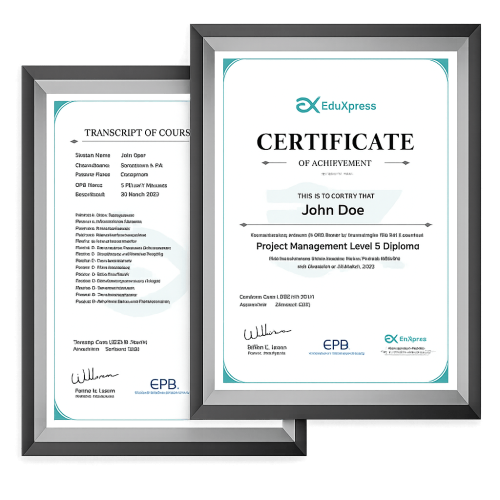
Upon successful completion of the final assessment, you will get a chance to order a CPD-accredited certificate confirming your achievement. This certificate is available in PDF as well as hard copy format, making it suitable for adding to your professional portfolio or CV. Please note this certificate does not guarantee employment or entitlement to regulated roles.
Career Path
✓ Excel Top 50 Microsoft Training
Frequently asked questions
Everything you need to know about the Excel: Top 50 Microsoft Excel Formulas in 50 Minutes!
1. What will I learn in the “Excel: Top 50 Microsoft Excel Formulas in 50 Minutes” course?
In this course, you will learn the top 50 essential Microsoft Excel formulas that boost productivity and data analysis skills. The course covers formulas like VLOOKUP, SUMIF, INDEX-MATCH, and more, all explained clearly to help learners in business, finance, and data management excel efficiently.
2. Is this Excel formulas course suitable for beginners?
Yes, this course is designed for beginners and intermediate users who want to quickly master key Microsoft Excel formulas. Each formula is broken down step-by-step, making it easy to understand and apply in real-world scenarios, perfect for learners in the US, UK, Canada, and other English-speaking regions.
3. How long does it take to complete the course?
The entire “Excel: Top 50 Microsoft Excel Formulas in 50 Minutes” course is designed to be completed in just 50 minutes. This time-efficient format allows busy professionals and students to learn powerful Excel formulas quickly without sacrificing quality or depth.
4. Can I use the formulas learned in this course for work or business?
Absolutely, the formulas taught in this course are widely used in professional settings including finance, accounting, marketing, and data analysis. Learning these Microsoft Excel formulas enhances your workplace efficiency and data handling capabilities, making you a valuable asset in any business environment.
5. Do I need any prior Excel experience before taking this course?
No prior Excel experience is required to take this course. It starts with fundamental formulas and progressively covers more advanced functions, making it accessible for beginners while still valuable for users looking to refresh or expand their Excel formula knowledge.
6. Will this course help me prepare for Microsoft Excel certification exams?
Yes, mastering these top 50 Microsoft Excel formulas will significantly improve your skills and confidence for certification exams like Microsoft Office Specialist (MOS). The course focuses on practical, widely-used formulas that are commonly tested in professional Excel certifications.
7. What software version is required for this Excel formulas course?
This course is compatible with Microsoft Excel 2016, 2019, 2021, and Microsoft 365 versions. The formulas taught are standard across these versions, ensuring learners using Excel on Windows or Mac can follow along seamlessly.
8. How can I access course materials and practice files?
Upon enrollment, you will receive immediate access to downloadable practice files and course materials. These resources allow you to practice each formula hands-on, reinforcing learning and helping you apply Excel formulas effectively in your own projects.
9. Is there support available if I have questions during the course?
Yes, learner support is available through the course platform where you can ask questions and receive assistance from instructors or community members. This ensures you get help with any Excel formula challenges you encounter while progressing through the course.
10. How does this course improve my data analysis skills using Excel?
By mastering the top 50 Microsoft Excel formulas, you enhance your ability to organize, analyze, and interpret data efficiently. This course equips you with powerful functions to perform complex calculations, automate tasks, and generate insightful reports, essential skills for data-driven decision-making.