


Edit 3 Times Faster with Adobe Premier Pro
By 2026, over 70% of UK media professionals report time pressures as a critical challenge in video editing workflows. In a market where digital skills are the baseline expectation, that gap limits earning potential, career options, and the ability to add real value. The Edit 3 Times Faster with Adobe Premier Pro course from EduXpress is a fully CPD-accredited, online programme that builds practical, immediately applicable digital skills – designed for UK learners ready to close the gap and perform at the level the market demands.
This course covers essential Adobe Premier Pro features including hotkeys, multi-camera editing, and efficient interview cutting. Learners build applied skills and confidence to work more productively while maintaining high-quality output. The focus is on practical knowledge that supports workplace demands in video production.
Flexible online CPD learning means you can study at your own pace with full tutor support available weekdays. After completing the course and assessment, you can obtain a CPD-accredited certificate to add to your professional portfolio. This course is designed to fit around working professionals and career changers in the UK.
Learning Outcomes of Edit 3 Times Faster with Adobe Premier Pro
Upon completion of this Edit 3 Times Faster with Adobe Premier Pro from EduXpress, learners will be able to:
Why Choose Our Edit 3 Times Faster with Adobe Premier Pro Course?
Who is This Edit 3 Times Faster with Adobe Premier Pro For?
Certification: Edit 3 Times Faster with Adobe Premier Pro
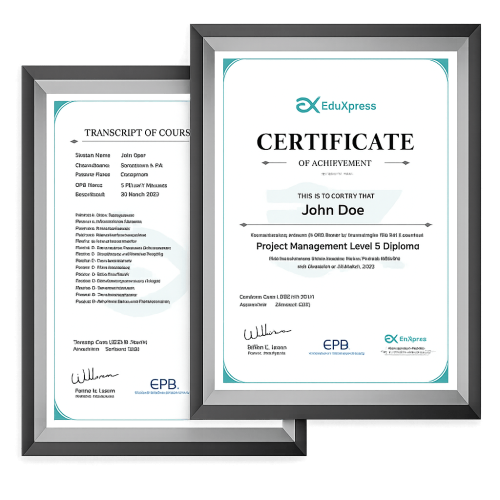
Upon successful completion of the final assessment, you will get a chance to order a CPD-accredited certificate confirming your achievement. This certificate is available in PDF as well as hard copy format, making it suitable for adding to your professional portfolio or CV. The certificate supports CPD learning but does not guarantee employment or entitlement to regulated roles.
Career Path
Frequently asked questions
Everything you need to know about the Edit 3 Times Faster with Adobe Premier Pro
1. How can this course help me edit videos faster in Adobe Premiere Pro?
This course teaches proven techniques to edit videos three times faster in Adobe Premiere Pro by streamlining workflows and using keyboard shortcuts. You will learn time-saving tips and advanced editing strategies that boost productivity, making video editing efficient and professional. It’s ideal for beginners and experienced editors seeking speed.
2. Do I need prior experience with Adobe Premiere Pro to take this course?
No prior experience with Adobe Premiere Pro is required to enroll in this course. It starts with foundational skills and gradually introduces faster editing techniques. Whether you’re a beginner or intermediate user, the course is designed to enhance your editing speed and confidence using industry-standard software.
3. What version of Adobe Premiere Pro do I need for this course?
This course is compatible with Adobe Premiere Pro CC 2020 and later versions. Using the latest updates ensures access to all the time-saving features and tools demonstrated. Make sure your software is up-to-date to follow along seamlessly and maximize editing speed improvements.
4. Will this course help me with both Mac and Windows versions of Adobe Premiere Pro?
Yes, the course covers Adobe Premiere Pro features applicable to both Mac and Windows operating systems. Keyboard shortcuts and workflow tips are explained for each platform, ensuring you can edit videos faster regardless of your computer setup or location.
5. How long does it take to complete the “Edit 3 Times Faster with Adobe Premiere Pro” course?
The course is designed to be completed in approximately 4 to 6 hours, depending on your pace. It includes video lessons, practical exercises, and downloadable resources focused on accelerating your editing process while maintaining quality output and professional standards.
6. Can this course help professional video editors improve their workflow?
Absolutely. This course offers advanced workflow optimization and shortcut techniques aimed at professional video editors who want to speed up their Adobe Premiere Pro editing process. It focuses on practical methods to reduce editing time without compromising creativity or quality.
7. Is there support available if I have questions during the course?
Yes, enrolled learners receive full access to instructor support through the course platform. You can ask questions, participate in discussions, and get feedback to clarify concepts and troubleshoot editing challenges, ensuring a smooth learning experience.
8. Will I receive a certificate after completing the course?
Yes, upon successful completion of the “Edit 3 Times Faster with Adobe Premiere Pro” course, you will receive a professional certificate. This certificate validates your enhanced video editing skills and faster workflow mastery, useful for career advancement or freelance opportunities.
9. Does this course cover mobile or Adobe Premiere Rush editing?
This course specifically focuses on desktop Adobe Premiere Pro for professional video editing. It does not cover mobile editing apps like Adobe Premiere Rush, as it targets users aiming for advanced speed and efficiency in a full-featured video editing environment.
10. How can I access the course content after enrollment?
Once enrolled, you get lifetime access to all course materials via the online learning platform. You can revisit lessons anytime, download resources, and practice editing techniques at your convenience, making it easy to reinforce skills and stay updated with new content.