

Graphic Design Using Canva
By 2026, over 60% of UK businesses will require staff with basic graphic design skills to support marketing and communication needs. In a market where digital skills are the baseline expectation, that gap limits earning potential, career options, and the ability to add real value. The Graphic Design Using Canva course from EduXpress is a fully CPD-accredited, online programme that builds practical, immediately applicable digital skills – designed for UK learners ready to close the gap and perform at the level the market demands.
This course covers essential graphic design principles and practical Canva skills, helping learners develop confidence and applied understanding in creating visuals. It focuses on photo editing, colour theory, and design from beginner to advanced levels.
Flexible online CPD learning allows you to study at your own pace with full tutor support available on weekdays. The course includes an assessment with options for CPD-accredited certification to enhance your professional portfolio.
Learning Outcomes of Graphic Design Using Canva
Upon completion of this Graphic Design Using Canva from EduXpress, learners will be able to:
Why Choose Our Graphic Design Using Canva Course?
Who is This Graphic Design Using Canva For?
Certification: Graphic Design Using Canva
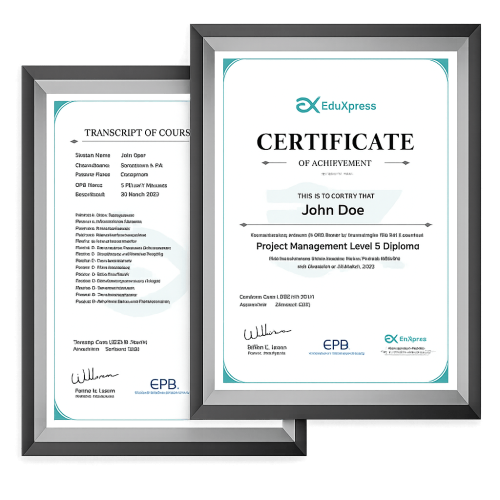
Upon successful completion of the final assessment, you will get a chance to order a CPD-accredited certificate confirming your achievement. This certificate is available in PDF as well as hard copy format, making it suitable for adding to your professional portfolio or CV. The certificate supports your continued professional development but does not guarantee employment or regulated role entitlement.
Career Path
Frequently asked questions
Everything you need to know about the Graphic Design Using Canva
1. What is Canva and how does it help in graphic design?
Canva is an easy-to-use online graphic design tool that simplifies creating professional visuals. It offers a wide range of templates, design elements, and intuitive drag-and-drop features, making graphic design accessible to beginners and professionals alike. Using Canva enhances creativity and efficiency in producing marketing materials, social media graphics, and presentations.
2. Do I need prior graphic design experience to take this Canva course?
No prior graphic design experience is required to enroll in this course. The Graphic Design Using Canva course is designed for beginners and guides learners step-by-step through essential design principles and Canva tools. This approach ensures that anyone, regardless of skill level, can create stunning graphics confidently.
3. Can I use Canva for free, or do I need a paid subscription?
Canva offers both free and paid subscription options. The free version provides access to many templates and design features suitable for most projects. However, the Canva Pro subscription unlocks premium templates, advanced tools, and brand kit features, which this course covers for enhanced graphic design capabilities.
4. What types of projects can I create with Canva after completing this course?
After completing the Graphic Design Using Canva course, you will be able to create a variety of projects including social media posts, flyers, business cards, presentations, logos, and marketing materials. Canva’s versatile platform supports diverse design needs, helping you produce professional-quality graphics for personal or business use.
5. Is this Canva course suitable for small business owners in [Your Location]?
Yes, this Canva course is ideal for small business owners in [Your Location] seeking cost-effective ways to create branded marketing content. With locally relevant examples and SEO-friendly design tips, learners can enhance their online presence and engage customers effectively using Canva’s user-friendly graphic design tools.
6. How long does it take to complete the Graphic Design Using Canva course?
The course is designed to be completed within 4 to 6 hours, depending on your pace. It includes video tutorials, practical exercises, and downloadable resources, allowing learners to progress efficiently while mastering Canva’s graphic design features and best practices for professional visual content creation.
7. Can I access the Canva course materials on mobile devices?
Yes, course materials are fully accessible on mobile devices, including smartphones and tablets. This mobile-friendly design allows learners in any location to study graphic design using Canva conveniently, supporting flexible learning schedules and on-the-go skill development.
8. Will this course teach me how to create branded content using Canva?
Absolutely, this course covers creating branded content using Canva’s brand kit features, custom fonts, and color palettes. Learning how to maintain brand consistency is key for marketing success, and this course provides practical guidance to help you design cohesive and professional branded visuals effectively.
Curriculum
- 3 Sections
- 0 Lessons
- Lifetime
- Graphic Design Using Canva0 Items
- Order Your Certificate!0 Items
- Leave a Review!0 Items