



Transform your engineering ideas into detailed 3D designs with SOLIDWORKS. Explore CAD sketching, part modelling, mechanical assemblies and technical drawings while developing the knowledge to create, refine and present professional engineering designs.
Course Overview
Computer-aided design plays an important role in engineering, manufacturing and modern product development. SOLIDWORKS is widely used to create detailed 3D models, develop mechanical assemblies and produce technical documentation. Our Solidworks: Beginner to Advanced course introduces essential CAD modelling principles and advanced design techniques for aspiring designers, engineering students and professionals.
Explore the SOLIDWORKS interface, 2D sketching, geometric constraints and feature-based modelling before progressing into parametric design and assembly development. Discover how engineering drawings communicate technical requirements and how specialised tools support sheet metal, surface modelling and weldments.
How can a design move from an initial sketch to a detailed engineering model? Develop your understanding of motion analysis, simulation, rendering and practical project workflows. Enrol online to strengthen your SOLIDWORKS knowledge and explore the techniques used in mechanical design and product development.
What You’ll Learn to Put Into Action
- Understand SOLIDWORKS fundamentals and the role of CAD in engineering design.
- Navigate the SOLIDWORKS interface and use essential sketching and modelling tools.
- Create 2D sketches using dimensions, geometric relationships and constraints.
- Develop 3D parts using extrusions, revolves, cuts, fillets and other modelling features.
- Explore advanced part modelling and parametric design techniques.
- Build mechanical assemblies using components, mates and positioning relationships.
- Understand advanced assembly modelling, movement and motion analysis.
- Prepare engineering drawings with dimensions, tolerances and technical annotations.
- Explore geometric dimensioning and tolerancing principles.
- Understand sheet metal, surface modelling and weldment design workflows.
- Examine simulation techniques used to evaluate engineering designs.
- Explore rendering and final project development for presenting CAD models.
Who Is This Course For?
- Beginners interested in learning SOLIDWORKS and computer-aided design.
- Mechanical engineering students developing 3D modelling knowledge.
- Aspiring CAD technicians and engineering design professionals.
- Product designers interested in digital prototyping and mechanical modelling.
- Manufacturing professionals exploring engineering drawings and component design.
- Engineering technicians seeking to improve their understanding of CAD workflows.
- Design professionals interested in assemblies, sheet metal and surface modelling.
- Hobbyists, inventors and makers exploring mechanical product development.
- Individuals considering further study in engineering design and manufacturing.
Career Path
SOLIDWORKS skills are relevant across mechanical engineering, product design, automotive manufacturing, aerospace, industrial equipment development and precision engineering. CAD professionals help transform design ideas into detailed models, technical drawings and manufacturing information.
Knowledge of parametric modelling, assembly design, engineering documentation and simulation can complement existing engineering skills. With further design practice, relevant technical training and industry experience, learners may explore opportunities in CAD design, mechanical engineering, product development and engineering technology.
Related UK career opportunities include the following indicative annual salary ranges, based on National Careers Service occupational profiles.
- CAD Technician / Engineering Design Technician: Approximately £24,000–£42,000 per year.
- Design and Development Engineer: Approximately £25,000–£55,000 per year.
- Mechanical Engineering Technician: Approximately £27,000–£47,000 per year.
- Mechanical Engineer: Approximately £28,000–£60,000 per year.
Why Choose Our Solidworks: Beginner to Advanced Course?
- Structured online learning covering SOLIDWORKS and mechanical CAD design.
- 100% online, flexible and self-paced study.
- Accessible lessons progressing from introductory to advanced design concepts.
- Coverage of 2D sketching, 3D modelling and parametric design.
- Introduction to mechanical assembly design and motion analysis.
- Engineering drawing, GD&T and manufacturing documentation principles.
- Exploration of sheet metal, surfaces, weldments and simulation.
- Final design project focused on bringing CAD concepts together.
- Certificate options available following successful completion.
What the Course Covers
Module 01: Introduction to SOLIDWORKS and CAD Design
Discover the foundations of computer-aided design and understand how SOLIDWORKS supports engineering and product development. Explore the differences between 2D drafting and 3D parametric modelling, alongside the role of CAD throughout the design process.
Examine common applications in mechanical engineering, manufacturing and product design. Develop familiarity with parts, assemblies and drawings, and understand how digital models communicate design ideas and technical requirements.
Module 02: SOLIDWORKS Interface, Sketching and Basic Tools
Explore the SOLIDWORKS user interface and understand how to navigate the modelling workspace. Discover the FeatureManager design tree, CommandManager, property panels and commonly used viewing controls.
Examine sketching tools for creating lines, circles, rectangles and other geometric shapes. Develop awareness of selecting reference planes, managing document settings and organising design features for efficient modelling.
Module 03: 2D Sketching, Dimensions and Geometric Constraints
Understand how accurate 2D sketches provide the foundation for reliable 3D models. Explore geometric relationships such as horizontal, vertical, parallel, perpendicular, concentric and tangent constraints.
Discover how Smart Dimension controls sketch geometry and design intent. Examine under-defined, fully defined and over-defined sketches, and develop awareness of how consistent sketching practices improve future model changes.
Module 04: 3D Part Modelling and Feature-Based Design
Discover how 2D sketches are transformed into three-dimensional parts through feature-based modelling. Explore extruded bosses, cuts, revolved features, fillets, chamfers, shells and holes.
Understand how individual features combine to form complex mechanical components. Examine design history, feature editing and the importance of planning a logical modelling sequence for efficient revisions.
Module 05: Advanced Part Modelling and Parametric Design
Explore advanced modelling techniques used to create detailed and adaptable mechanical components. Examine sweeps, lofts, patterns, mirroring, reference geometry and multi-body modelling concepts.
Understand parametric design, equations, configurations and relationships between model features. Develop awareness of how design intent supports accurate modifications, reusable components and efficient engineering workflows.
Module 06: Assembly Design, Components and Mates
Discover how individual components are combined to create mechanical assemblies in SOLIDWORKS. Explore component insertion, positioning, assembly structures and relationships between parts.
Understand standard mates, including coincident, concentric, parallel, distance and angle relationships. Examine component movement, interference checks and the importance of organising assemblies for clear and accurate design development.
Module 07: Advanced Assembly Modelling and Motion Analysis
Explore advanced assembly design concepts involving complex component relationships, subassemblies and specialised mates. Understand how assembly configurations and design organisation support larger mechanical projects.
Examine motion analysis principles, including component movement, mechanical relationships and introductory kinematic behaviour. Develop awareness of animation, movement studies and how virtual testing supports the evaluation of mechanical designs.
Module 08: Engineering Drawings, GD&T and Technical Documentation
Understand how 3D models are converted into engineering drawings used to communicate manufacturing and inspection requirements. Explore standard drawing views, sections, detailed views, dimensions and technical annotations.
Discover the foundations of geometric dimensioning and tolerancing (GD&T), including datums, geometric controls and design tolerances. Examine drawing organisation, bills of materials and the importance of clear technical documentation.
Module 09: Sheet Metal Design, Surface Modelling and Weldments
Explore specialised SOLIDWORKS modelling tools used in manufacturing and mechanical design. Examine sheet metal features, bends, flanges, material thickness and flat-pattern development.
Discover surface modelling concepts for creating and refining complex shapes. Understand weldment structures, structural members, trim operations and cut lists. Develop awareness of how specialised modelling techniques support fabrication and product development.
Module 10: SOLIDWORKS Simulation, Rendering and Final Design Project
Explore simulation concepts used to evaluate the behaviour and performance of engineering designs. Understand introductory stress analysis, loads, constraints, material properties and the interpretation of simulation results.
Examine rendering techniques involving materials, appearances, lighting and realistic model presentation. Discover how these tools help communicate product ideas and support design reviews.
Bring together sketching, part modelling, assemblies and technical documentation through a final design project. Develop awareness of project organisation, design evaluation and presenting completed CAD work professionally.
Accreditation & Recognition
The Solidworks: Beginner to Advanced course supports structured professional learning in computer-aided design, mechanical modelling, assembly development and engineering documentation.
It provides an opportunity to strengthen technical knowledge and document continuing professional development in CAD design and manufacturing-related workflows.
- Structured learning supporting continuing professional development.
- Coverage of mechanical CAD design and engineering documentation concepts.
- Digital CPD certificate available following successful completion, subject to course arrangements.
- Optional printed certificate available for £24.99, subject to availability.
Assessment & Certification: Solidworks: Beginner to Advanced
The proposed online multiple-choice assessment covers SOLIDWORKS fundamentals, CAD sketching, dimensions, geometric constraints, 3D modelling and parametric design.
It also examines mechanical assemblies, mates, motion analysis, engineering drawings, GD&T, sheet metal, surface modelling, weldments and simulation concepts.
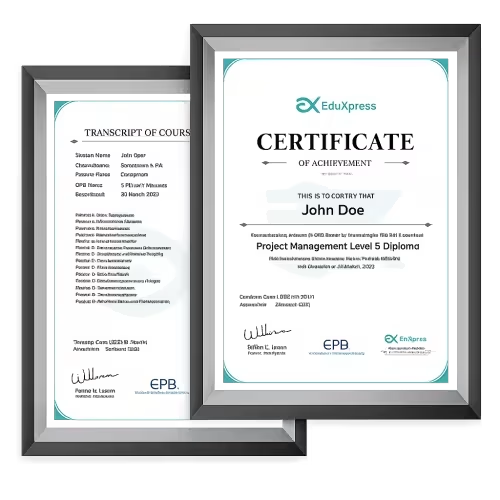
Following successful completion, learners can order an EduXpress digital CPD certificate documenting their achievement, subject to the course’s certification arrangements.
An optional printed certificate is listed at £24.99. The certificate recognises structured online learning and supports continuing professional development records in SOLIDWORKS and CAD design.
Frequently Asked Questions
What is the Solidworks: Beginner to Advanced course?
Is this SOLIDWORKS course suitable for complete beginners?
Do I need previous CAD or engineering experience?
What is SOLIDWORKS used for?
What is the difference between 2D CAD and 3D modelling?
Will I learn 3D part modelling in SOLIDWORKS?
What is parametric modelling in SOLIDWORKS?
Does the course cover assembly design and mates?
Will I learn motion analysis using SOLIDWORKS?
Does this course include engineering drawings and GD&T?
Will I learn sheet metal design and weldments?
Does the course cover SOLIDWORKS Simulation?
Will I complete a final SOLIDWORKS design project?
Does the course include a SOLIDWORKS software licence?
Can SOLIDWORKS skills support engineering career development?
How is Solidworks: Beginner to Advanced assessed, and will I receive a certificate?
Curriculum
- 1 Section
- 10 Lessons
- Lifetime
- Solidworks: Beginner to Advanced10 Items
- 1.1Module 01: Introduction to SOLIDWORKS and CAD Design
- 1.2Module 02: SOLIDWORKS Interface, Sketching and Basic Tools
- 1.3Module 03: 2D Sketching, Dimensions and Geometric Constraints
- 1.4Module 04: 3D Part Modelling and Feature-Based Design
- 1.5Module 05: Advanced Part Modelling and Parametric Design
- 1.6Module 06: Assembly Design, Components and Mates
- 1.7Module 07: Advanced Assembly Modelling and Motion Analysis
- 1.8Module 08: Engineering Drawings, GD&T and Technical Documentation
- 1.9Module 09: Sheet Metal Design, Surface Modelling and Weldments
- 1.10Module 10: SOLIDWORKS Simulation, Rendering and Final Design Project