

Adobe Premiere Pro CC
By 2026, over 70% of UK businesses expect video content to be a key part of their marketing and communication strategies. In a market where digital skills are the baseline expectation, that gap limits earning potential, career options, and the ability to add real value. The Adobe Premiere Pro CC course from EduXpress is a fully CPD-accredited, online programme that builds practical, immediately applicable digital skills – designed for UK learners ready to close the gap and perform at the level the market demands.
This course covers the core functions and creative techniques of Adobe Premiere Pro CC. It helps you build practical knowledge, technical skills, and applied confidence in video editing, from project setup to advanced effects. You will learn to produce polished videos ready for professional use.
Flexible online CPD learning allows you to study at your own pace with full tutor support. The course includes assessments to test your understanding and offers a CPD-accredited certificate upon successful completion. This approach suits busy UK professionals and career changers seeking practical skills.
Learning Outcomes of Adobe Premiere Pro CC
Upon completion of this Adobe Premiere Pro CC from EduXpress, learners will be able to:
Why Choose Our Adobe Premiere Pro CC Course?
Who is This Adobe Premiere Pro CC For?
Certification: Adobe Premiere Pro CC
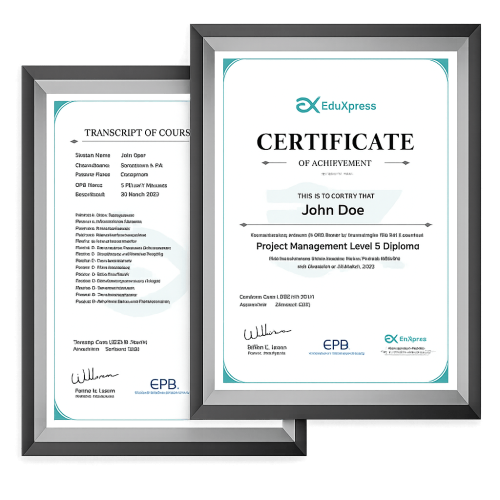
Upon successful completion of the final assessment, you will get a chance to order a CPD-accredited certificate confirming your achievement. This certificate is available in PDF as well as hard copy format, making it suitable for adding to your professional portfolio or CV. Please note this certificate does not guarantee employment or entitlement to a regulated role.
Career Path
Frequently asked questions
Everything you need to know about the Adobe Premiere Pro CC
1. What is Adobe Premiere Pro CC used for?
Adobe Premiere Pro CC is a professional video editing software used for creating and editing high-quality videos. It supports multi-format timelines, advanced color correction, and audio editing, making it ideal for filmmakers, content creators, and video editors seeking powerful post-production tools.
2. Do I need prior experience to take this Adobe Premiere Pro CC course?
No prior experience is required to enroll in this Adobe Premiere Pro CC course. The curriculum starts with fundamental video editing concepts and gradually introduces advanced techniques, making it suitable for beginners and intermediate users aiming to enhance their video production skills.
3. Can I use Adobe Premiere Pro CC on both Windows and Mac?
Yes, Adobe Premiere Pro CC is compatible with both Windows and Mac operating systems. This course covers software installation, setup, and optimization tips for both platforms, ensuring learners can efficiently edit videos regardless of their computer system.
4. How long does it take to complete the Adobe Premiere Pro CC course?
The Adobe Premiere Pro CC course typically takes 6 to 8 weeks to complete, depending on your learning pace. It includes comprehensive modules on video editing workflows, effects, transitions, and exporting videos, designed to build professional editing skills effectively.
5. Will this course teach me how to export videos for social media platforms?
Yes, this Adobe Premiere Pro CC course includes detailed instruction on exporting videos optimized for various social media platforms like YouTube, Instagram, and Facebook. You’ll learn best practices for file formats, resolution, and compression to ensure high-quality video uploads.
6. Is Adobe Premiere Pro CC suitable for professional video editing?
Absolutely, Adobe Premiere Pro CC is widely regarded as industry-standard professional video editing software. This course equips learners with advanced editing techniques, color grading, audio mixing, and workflow management to produce broadcast-quality video content.
7. What system requirements are needed to run Adobe Premiere Pro CC?
To run Adobe Premiere Pro CC smoothly, your system should have at least an Intel 6th Gen or newer processor, 16 GB RAM, and a dedicated GPU with 4GB VRAM. This course provides guidance on optimizing system performance to enhance your video editing experience.
8. Does the course cover motion graphics and visual effects in Premiere Pro?
Yes, the course includes modules on creating motion graphics and applying visual effects using Premiere Pro’s built-in tools and integration with Adobe After Effects. This helps learners add professional-quality animations and effects to their video projects.
9. Will I receive a certificate after completing the Adobe Premiere Pro CC course?
Yes, upon successful completion of the Adobe Premiere Pro CC course, you will receive a certificate of achievement. This credential validates your video editing proficiency and can enhance your professional portfolio or resume in the digital media industry.
10. Can I access course materials after completing the Adobe Premiere Pro CC training?
Most courses offer lifetime access to all Adobe Premiere Pro CC training materials, including video tutorials, project files, and quizzes. This allows learners to revisit content anytime for review or skill refreshment, supporting ongoing learning and mastery.