

Adobe After Effect: Gradient Animation
By 2026, over 60% of UK creative professionals will need advanced animation skills to meet rising digital content demands. In a market where digital skills are the baseline expectation, that gap limits earning potential, career options, and the ability to add real value. The Adobe After Effect: Gradient Animation course from EduXpress is a fully CPD-accredited, online programme that builds practical, immediately applicable digital skills – designed for UK learners ready to close the gap and perform at the level the market demands.
This course covers essential concepts and practical techniques for creating engaging gradient animations. You will build knowledge, develop technical skills, and gain confidence in applying animation effects for digital media projects.
With flexible online CPD learning, you can study at your own pace, supported by professional tutors. The course includes an assessment and an option to obtain a CPD-accredited certificate to demonstrate your learning achievements.
Learning Outcomes of Adobe After Effect: Gradient Animation
Upon completion of this Adobe After Effect: Gradient Animation from EduXpress, learners will be able to:
Why Choose Our Adobe After Effect: Gradient Animation Course?
Who is This Adobe After Effect: Gradient Animation For?
Certification: Adobe After Effect: Gradient Animation
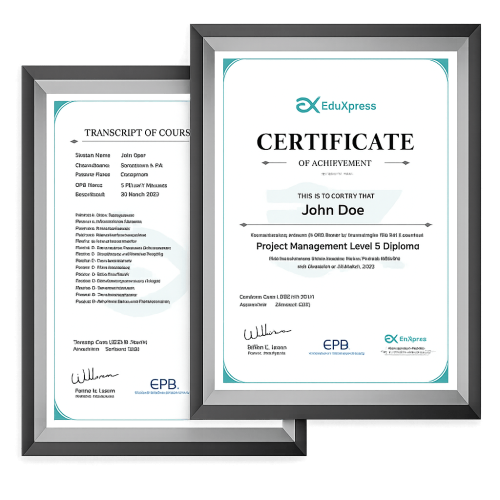
Upon successful completion of the final assessment, you will get a chance to order a CPD-accredited certificate confirming your achievement. This certificate is available in PDF as well as hard copy format, making it suitable for adding to your professional portfolio or CV.
Career Path
Frequently asked questions
Everything you need to know about the Adobe After Effect: Gradient Animation
1. What will I learn in the Adobe After Effect Gradient Animation course?
In this course, you will learn how to create smooth and dynamic gradient animations using Adobe After Effects. The training covers key techniques such as gradient ramp effects, color transitions, and motion graphics to enhance your video projects. This course is ideal for designers and animators looking to master gradient animation skills.
2. Do I need prior experience with Adobe After Effects to take this course?
Basic knowledge of Adobe After Effects is recommended but not mandatory. This course starts with fundamental concepts and progresses to advanced gradient animation techniques, making it suitable for beginners and intermediate users aiming to improve their motion design capabilities effectively.
3. Which version of Adobe After Effects is required for this course?
This course is designed for Adobe After Effects CC 2019 and later versions. Using the latest software version ensures compatibility with gradient animation features and allows you to follow along with the tutorials seamlessly for optimal learning outcomes.
4. Can I use the gradient animation techniques from this course for commercial projects?
Yes, the gradient animation techniques taught in this course can be applied to commercial video projects, advertisements, and branding materials. Learning these skills will enhance your professional portfolio and help you create visually appealing animations for clients or personal business ventures.
5. How long is the Adobe After Effect Gradient Animation course?
The course duration is approximately 3 hours, divided into concise modules focusing on gradient effects, animation principles, and project-based exercises. This structure allows flexible learning while ensuring you gain practical gradient animation experience efficiently.
6. Will I receive a certificate after completing the course?
Yes, upon successful completion of the Adobe After Effect Gradient Animation course, you will receive a certificate of completion. This credential validates your skills in gradient animation and can boost your resume or freelance profile in the digital animation industry.
7. Are there downloadable resources included in the course?
The course includes downloadable project files, gradient presets, and exercise materials to support hands-on practice. These resources are designed to help learners reinforce concepts and create professional-quality gradient animations using Adobe After Effects.
8. Can this course help me improve my motion graphics portfolio?
Absolutely, mastering gradient animation techniques in Adobe After Effects will significantly enhance your motion graphics portfolio. The course teaches visually appealing and trendy animation styles that attract potential employers and clients in the creative industry.
9. Is this course suitable for graphic designers and video editors?
Yes, this course is tailored for graphic designers, video editors, and digital artists who want to expand their skill set with gradient animations. The practical lessons integrate smoothly with other design software workflows, making it a valuable addition to your creative toolkit.
10. How can I maximize my learning experience in this course?
To maximize learning, actively practice the tutorials using Adobe After Effects, experiment with different gradient settings, and complete all project assignments. Engaging with course forums and revisiting complex modules will deepen your understanding of gradient animation techniques.